
The best picture menu maker for restaurants
Most tools in this category are design tools with a menu template bolted on: you still gather the photos, type the descriptions and line up the prices. The question worth asking isn't which one has the nicest templates — it's which one gets a corrected menu onto the table the same day a dish changes. Here's how the common options compare on that.
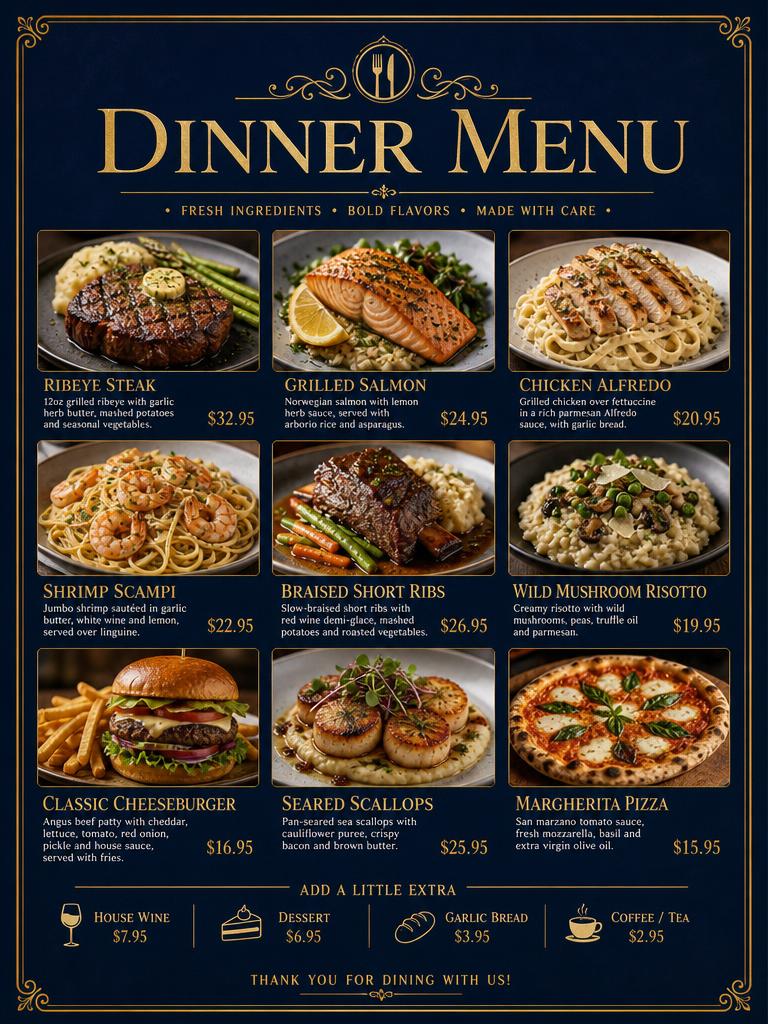
Side by side
Pricing and features change; check each vendor before you buy. This reflects what each option asks of you to get one printed menu out the door.
| Tool | Starting point | Dish photos | Reprint after a change | Print output | Cost |
|---|---|---|---|---|---|
| Ai-infosheets | Photo, PDF or pasted text of your current menu | Generated per dish, or use your own | Change a dish and re-export in minutes | PNG, plus PDF on paid plans, letter up to 11×17 | From $9.99/mo, 3 free trial credits |
| Canva | A blank menu template | Stock photos you place yourself | Edit the design by hand each time | PDF print export; paid print service | Free tier; Pro from ~$15/mo |
| Adobe Express | A blank menu template | Stock photos you place yourself | Edit the design by hand each time | PDF export | Free tier; Premium subscription |
| Local print shop / designer | A brief and a phone call | A photo shoot, or you supply them | New job, new quote, days of turnaround | Professionally printed | Typically hundreds per menu |
What to judge them on
Time from decision to printed menu
The special changes on Tuesday morning. If the tool can't get a menu on the table by lunch, it doesn't solve the problem — it moves it.
How reprints work
Menus change constantly. What matters is the second, fifth and twentieth version, not the first one. Look for editing a line and re-exporting, not rebuilding a layout.
Who supplies the dish photos
Photos are the whole point of a picture menu and the usual reason one never gets made. Generated or uploaded both work — needing a shoot first usually kills it.
Real print output
Screen-first tools export at screen sizes. For a menu you want a PDF sized for letter, A4 or 11×17 tabloid with the bleed intact.
Whose brand ends up on it
Your colours and logo should be saved once and applied every time. Vendor footers matter if you hand menus to clients — ours comes off on Agency.
Pick something else if: you want to art-direct every element yourself, you need a multi-page bound menu, or you already have a photographer and a designer on retainer. A general design tool will serve you better.
Common questions
What is a picture menu maker?
A tool that turns a list of dishes into a printable menu where every item has a photo, a short description and a price. The useful ones handle the photos too, since sourcing photos is what usually stops a picture menu from happening.
Can I make a picture menu for free?
You can start free here — 3 free trial credits make three full menus, no card. Canva and Adobe Express also have free tiers, but you place every photo and lay out every row yourself.
Can I use my own dish photos?
Yes. Upload your photos and they're used as-is. If you don't have a photo for an item, one is generated for it so the menu isn't half-empty.
What size does it print at?
Letter, A4, square and 11×17 tabloid, exported as PNG, or PDF on paid plans. Tabloid is what most table-tent and counter menus end up on.
How fast can I reprint when a special changes?
Open the sheet, change the line, export again. Most menu changes are a few minutes, not a new design job.
Try it on tomorrow's menu
3 free trial credits when you sign up — enough for three full menus.
Make a picture menu